


AI is everywhere right now.
Social feeds are full of loud statements about AI agents, autonomous workflows, and how everything will change overnight. The noise is intense, and it is easy to feel that if you are not building something massive, you are already late.
But while everyone is talking, a quieter shift is happening.
People without strong programming backgrounds are starting to build real, useful tools. Not demos or concepts, but actual things they use in their daily work.
There are platforms that handle a lot of the technical complexity for you. If you can write decent prompts and have a basic understanding of how applications are structured, you can already build something functional.
This is not about replacing engineers.
It is about lowering the activation energy to start.
A very unexciting, very real problem
I am not particularly fast to change tools, and this time was no exception.
I had been using the same online invoice template for years, even though I disliked it. It was clunky, ugly, and never really fit my workflow. I kept tolerating it simply because it worked.
Eventually, the irritation accumulated.
At the same time, I wanted an excuse to experiment with vibe coding and see what these tools were actually capable of.
So I combined the two.
Instead of just complaining about the template, I decided to build one tailored specifically for me - I call it Simple Invoice Maker.
Building without coding, but not without thinking
I signed up on Lovable, mostly out of curiosity.
My goal was not to build a startup or a polished SaaS - I just wanted a tool that worked exactly the way I wanted.
It took me three evenings due to the limitations on free accounts.
I spent time defining the structure, logic, and edge cases in advance. The most important part was not the tool, but how I communicated the task.
I treated the prompt as a specification, not a request.
It was broken down into clear steps, with explicit descriptions of each section and additional constraints.
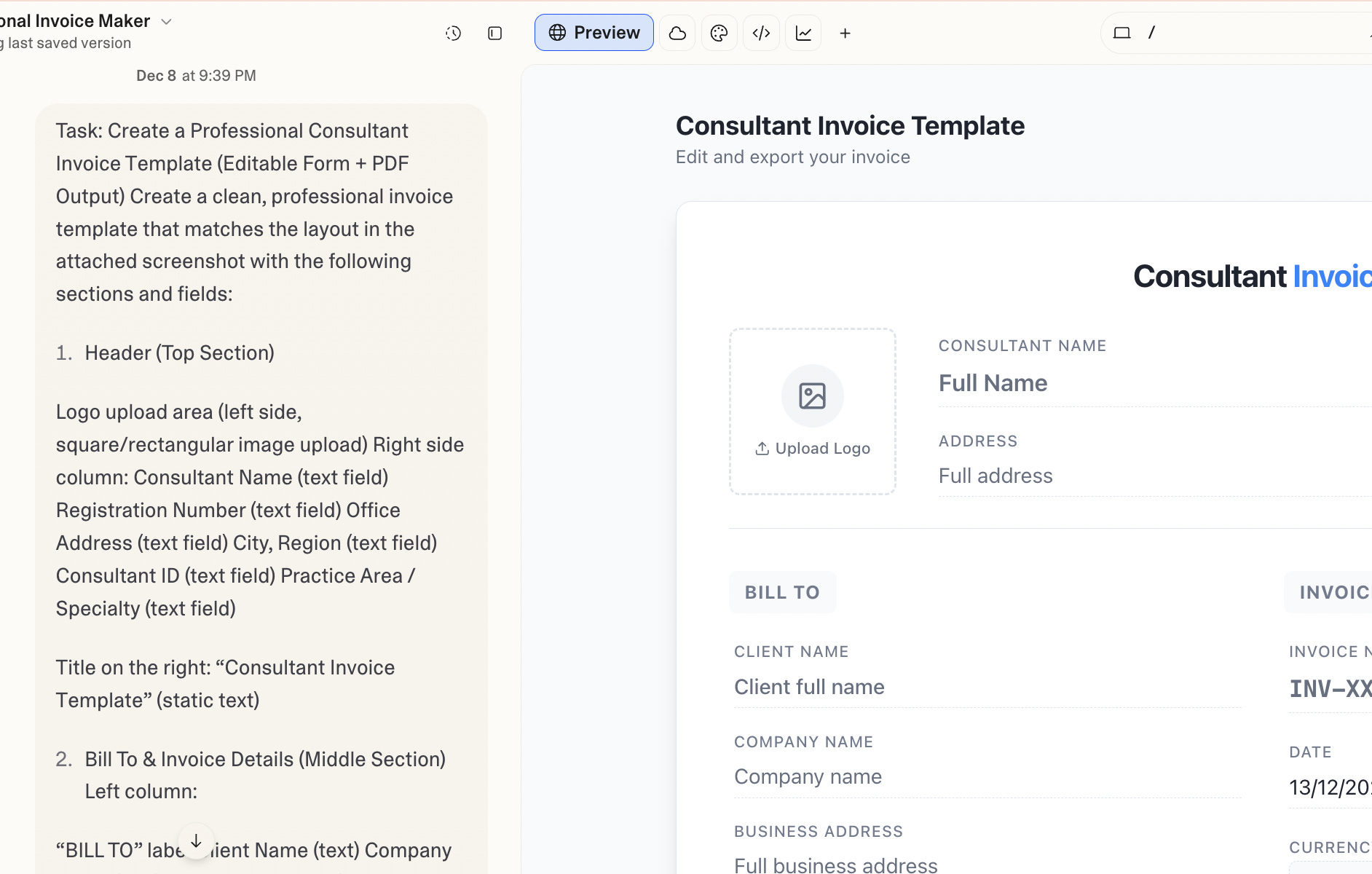
Here is an example of the prompt structure I used:
Task: Create a Professional Consultant Invoice Template (Editable Form + PDF Output) Create a clean, professional invoice template that matches the layout in the attached screenshot with the following sections and fields:

Header (Top Section)
Logo upload area (left side, square/rectangular image upload) Right side column: Consultant Name (text field) Registration Number (text field) Office Address (text field) City, Region (text field) Consultant ID (text field) Practice Area / Specialty (text field)

Title on the right: “Consultant Invoice Template” (static text)

Bill To & Invoice Details (Middle Section) Left column:
“BILL TO” label Client Name (text) Company Name (text) Business Address (multi-line text) Project Scope: [Description] (multi-line text) Contract Period: [Duration] (text)

Right column:

Invoice Number (auto-generated or manual, e.g., 2001321) Date (date picker, default today, shows as 12/8/2025 format) Optional “[ADD MORE]” link/button to add extra fields if needed.
Writing the prompt this way reduced randomness and made the output much more predictable. It also significantly reduced the number of iterations needed.
Why Lovable (and why it does not really matter)
There was no strategic reason why I chose Lovable. I liked the name. That was it. Next time, I will probably test something else.
Replit Agent, Cursor, v0.dev. The market is full of options.
One interesting detail I did not expect was analytics.
Lovable includes basic built-in statistics out of the box. You can immediately see whether someone visited your page and where the traffic came from.

At the same time, the analytics are intentionally limited. For example, there is no data on how many invoices were generated.
This reinforces the idea that these tools are optimized for experimentation and visibility, not full-scale production analytics.
Deployment without friction
Another practical advantage is deployment.
By default and completely for free, you can deploy your product on a lovable.dev subdomain.
If you want, you can also connect a custom domain without much effort.
There is no separate hosting setup, no infrastructure work, and no deployment pipeline to manage.
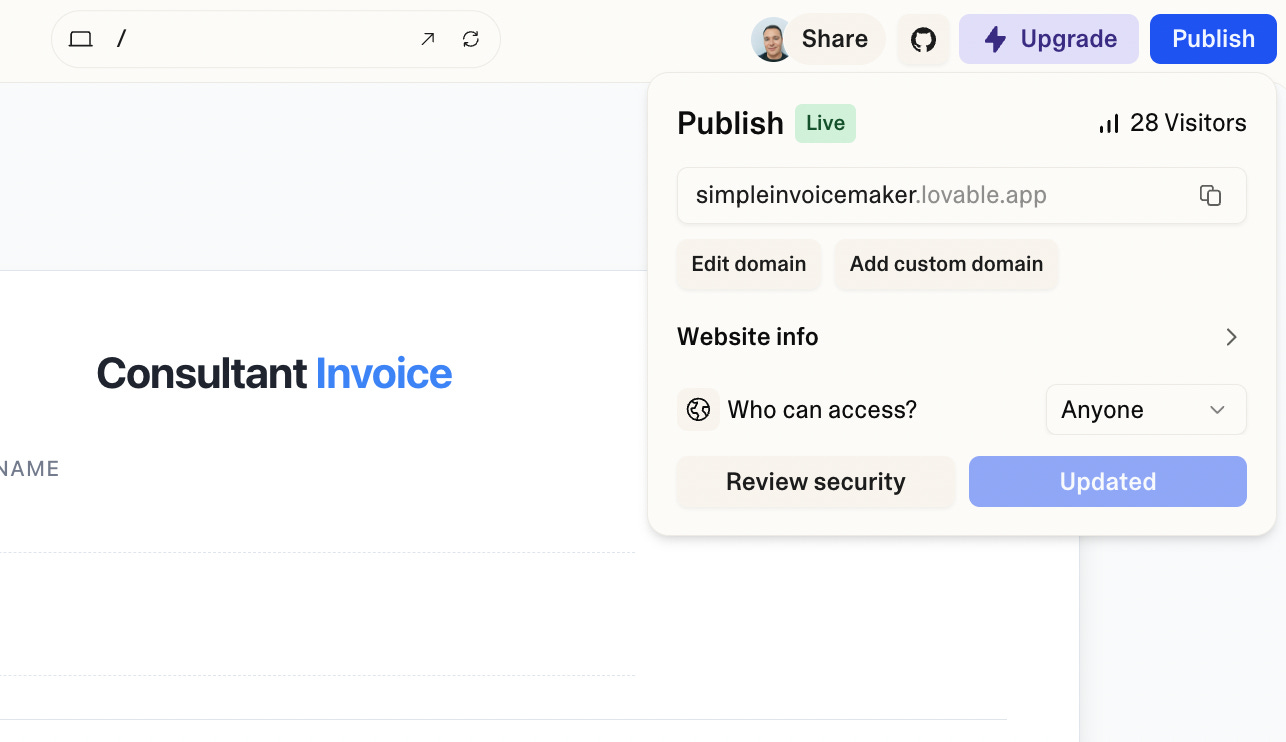
This removes yet another barrier between building and sharing.
Once the template was done, I made Simple Invoice Maker publicly available.
And yes, I added a “Buy me a coffee” button. Not because I expect it to become a business, but because even tiny tools deserve a way for users to show appreciation.
That small detail changed how I perceived the project.
It stopped being an experiment and started feeling like a product.
A quiet invitation
If you are waiting for a “big enough” idea to start experimenting with AI, you might be waiting for the wrong thing.
Start with something boring.
Something slightly annoying in your daily workflow.
That is where the real learning happens.
If you are also building small tools or running AI experiments, I would love to see them.
Feel free to share what you are working on.